FreeApple silicon Mac (M1 or newer)macOS 13 or later
Know every day how much AI you have left, before the tokens run out
A Mac menu bar app that splits your weekly Claude, Codex and Kiro limits into a budget for each day, and keeps today’s share left on your menu bar.
The first time, allow it once in System Settings · See how to install
Claude Weekly: 31.5% used: 62% of today’s budget left. Sample figures, not real data
Claude Weekly: 31.5% used
of today’s budget left
Fri 20
15:00
Fri 27
15:00
resets in 3d 18h
- Today’s budget (of week)
- 16.1%
- Today’s cap
- 41.5%
- Claude 5-hour
- 64%
- Resets
- Fri 15:00
- At this pace about 32% is left at the reset
- From tomorrow, about 16.1% of the week a day (normally 14.3%)
Today’s use by hour
The background follows the ticket in front, as in the app
Your limit comes by the week. You work by the day.
Token Mod splits the limit into a budget for each day. Use less today and the days ahead get a little more; go over and they shrink evenly, and Token Mod tells you exactly what each day after is worth.
Watch today change on its own and what the days ahead get. You can drag a bar too.
14.0
Fri
12.4
Sat
9.2
Sun
6.1
MonToday
16.1
Tue
16.1
Wed
16.1
Thu
A simplified example: what is left of the week is shared evenly across the days still to come.
Reads from your Mac
It reads what Claude Code, Claude Desktop, Codex and Kiro already write locally. You don’t sign in or add an API key.
Splits it into days
Today’s budget comes from what is left of the week and the days left before the reset.
Shows it on the menu bar
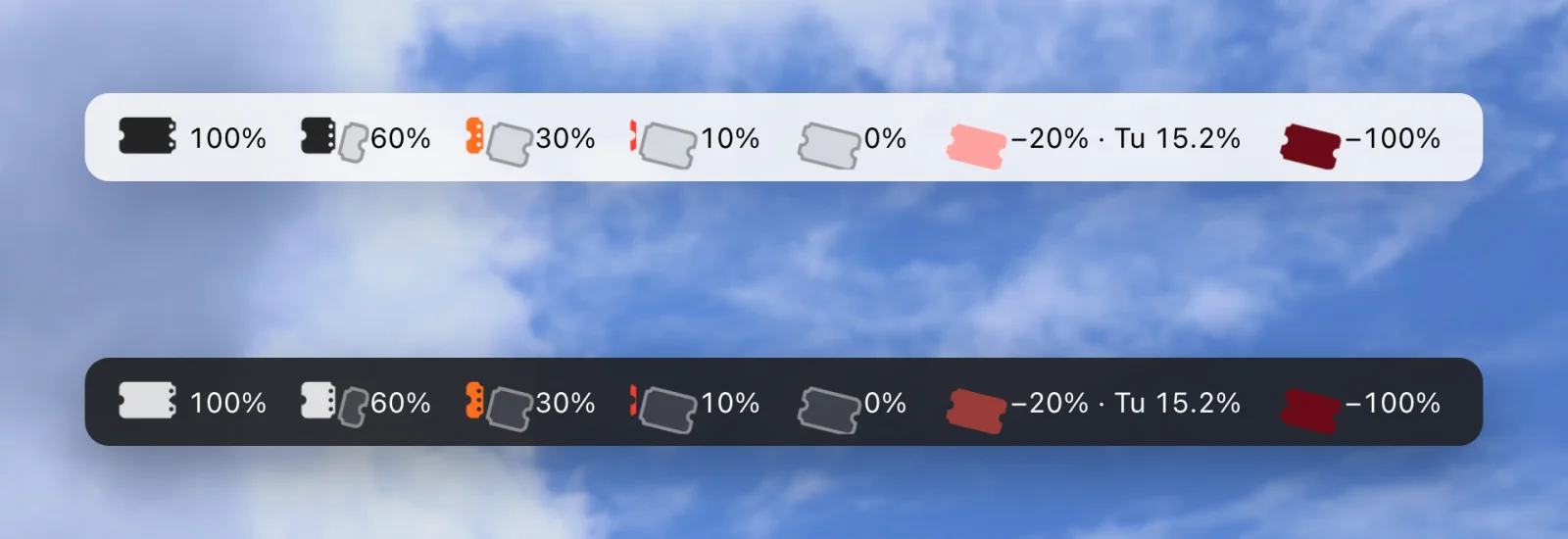
A ticket icon torn to today’s share left, with the percentage beside it. Click for the full panel.
A ticket torn to what is left
Above half it takes the menu bar’s text colour; below half it turns orange, then red. Go over and it darkens toward oxblood as the week runs out.
Three tabs, three questions
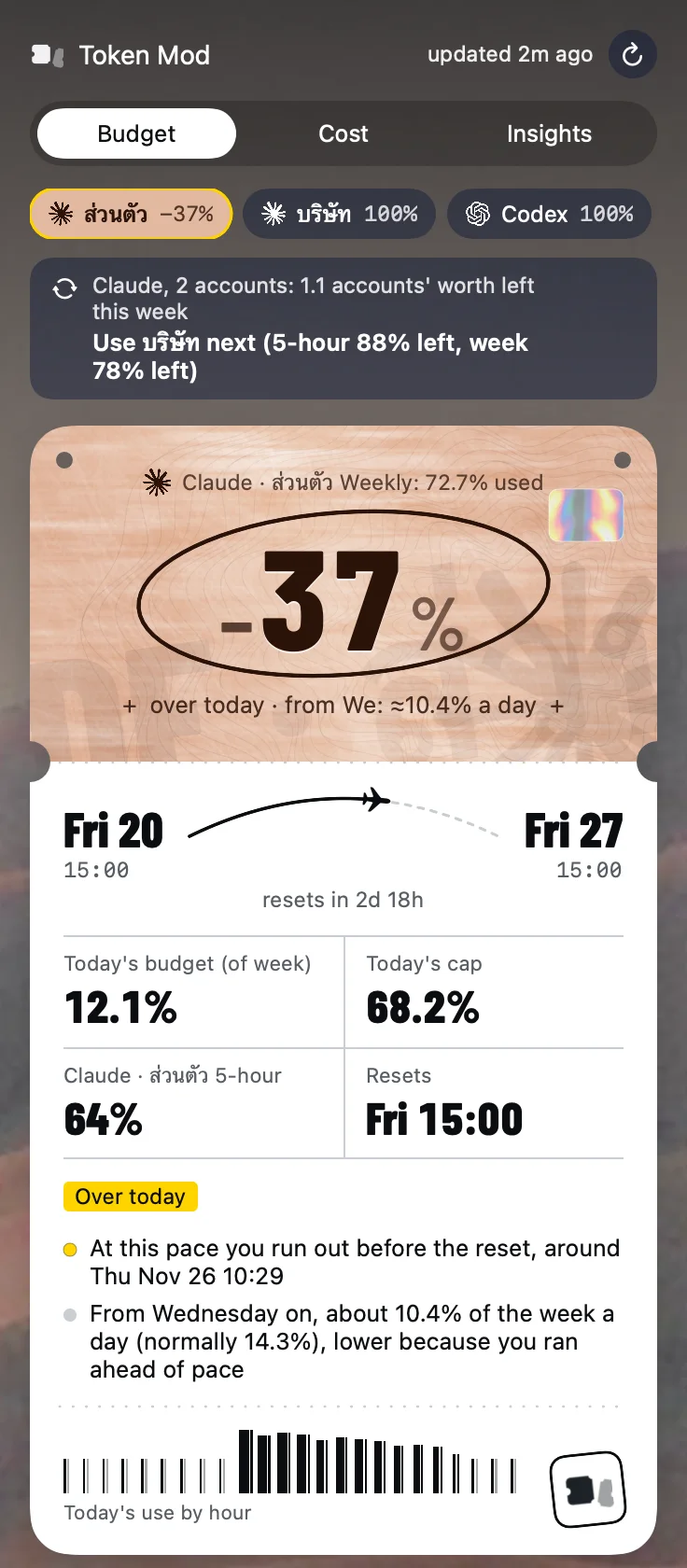
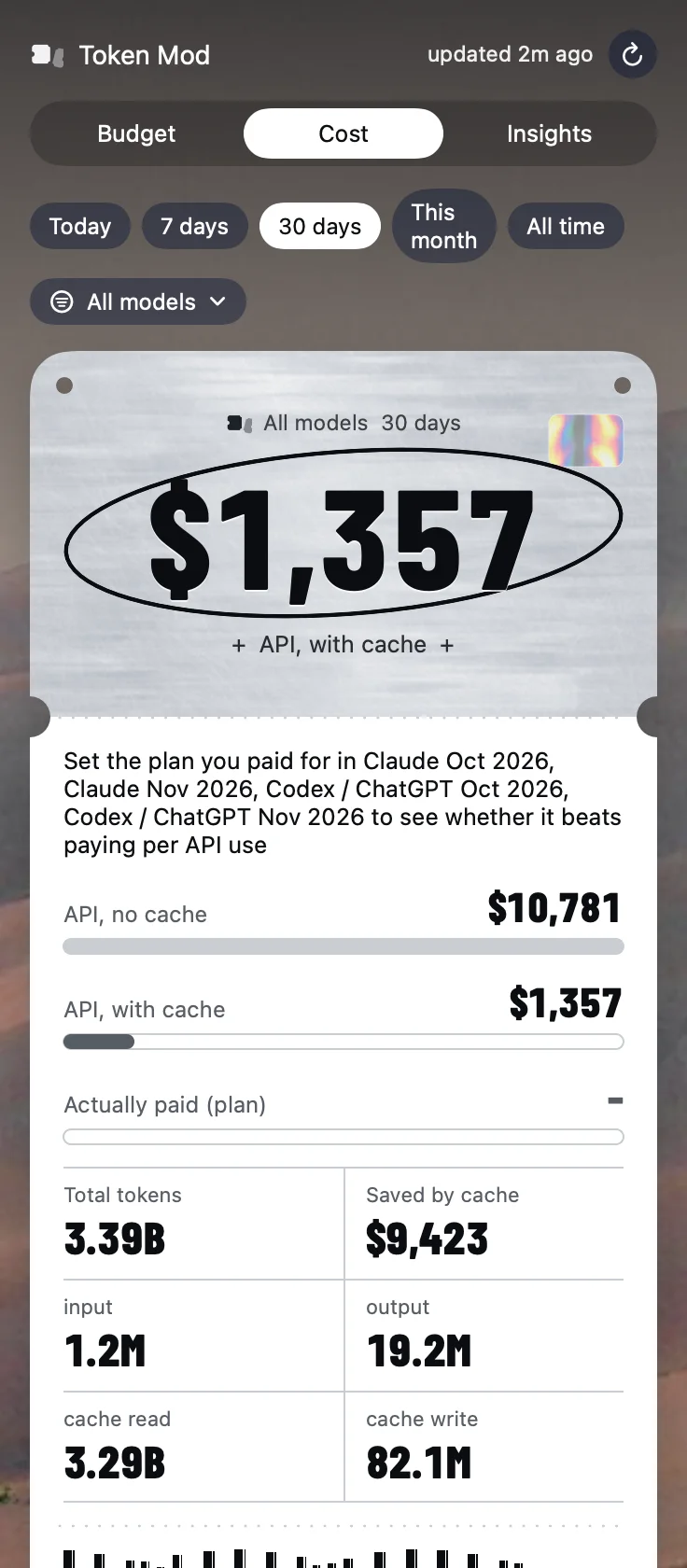
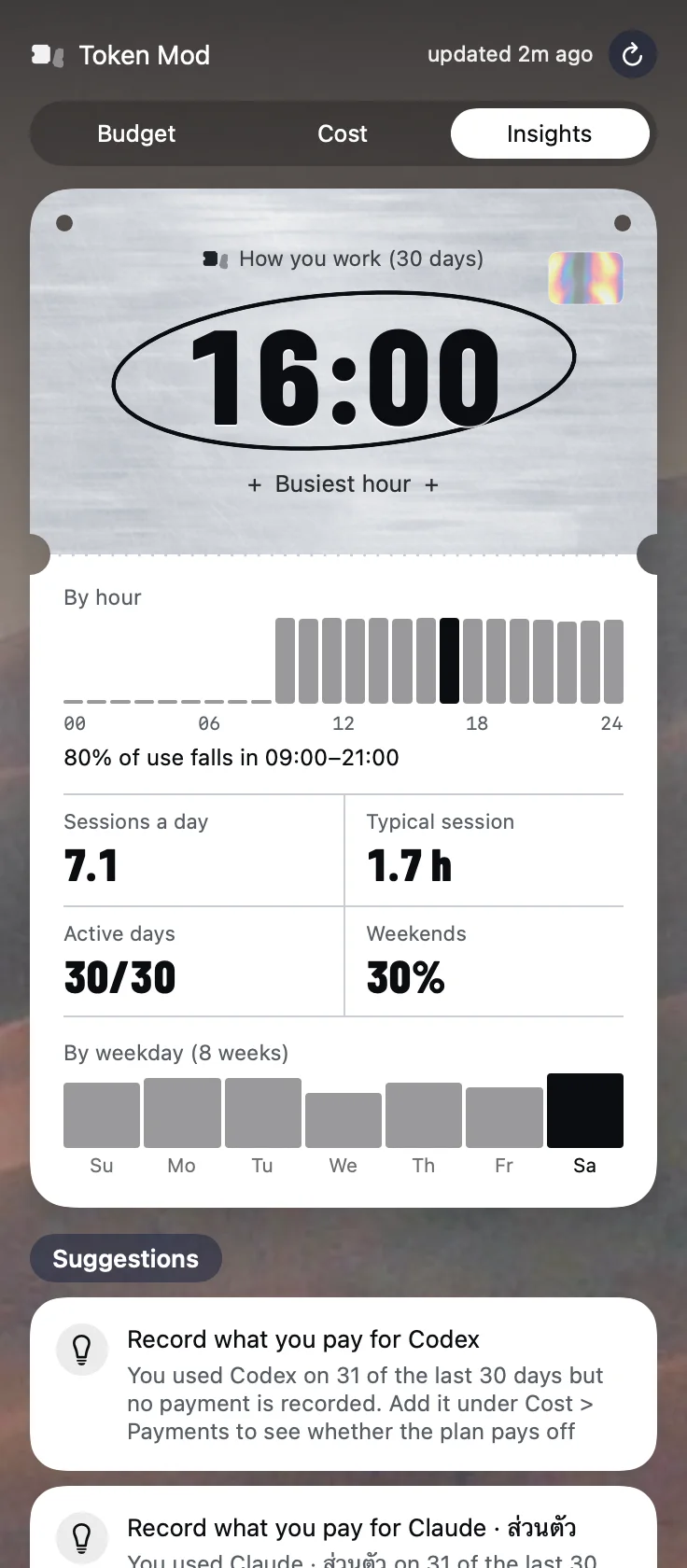
- Budget
- How much is left today, whether you will run out before the reset at this pace, and when you will hit today’s cap.
- Cost
- What you would pay at API prices without cache, with cache, and what your plan actually costs, from the payments you record. Every figure is an estimate at API list prices.
- Insights
- When you work hardest, which days of the week, whether your plan fits, and suggestions from your own patterns.
Everything in the app today
Claude Code, Claude Desktop, Codex, Kiro and Antigravity. Read automatically from your Mac. For Cursor, Gemini CLI and GitHub Copilot you can type in the numbers from the tool’s own usage page.
- Daily budget from weekly limits
- Including Kiro’s monthly limit and Claude’s 5-hour window.
- Rebalances after a heavy or light day
- Tells you plainly what share of the week each day from tomorrow gets.
- Forecasts before you hit the wall
- Whether you will run out before the reset at this pace, and when you will hit today’s cap.
- Cost at API prices
- Without cache, with cache, and your actual plan, which can change month to month. Every figure is labelled as an estimate.
- Keeps evidence
- Notes when a reset time moves or the percentage jumps in a way your local logs cannot explain.
- Says when it is estimating
- Without live numbers from Claude (for example in the Desktop app) it estimates from local logs and marks the figure with ≈. Type in the real numbers from Claude’s usage page to recalibrate.
- Several accounts per tool
- Say a personal and a work Claude: each gets its own budget, and Token Mod says which to use next.
- Does your plan fit?
- Record what you pay, then compare it with the limit you actually used each cycle and its value at API prices.
- Report and local dashboard
- A one-file HTML report that opens offline, or a dashboard in your browser that updates itself, with a one-year calendar of use.
- Thai and English, light and dark
- Follows your system language and appearance.
Your data stays on your Mac
- Everything is worked out on your Mac
- It stores only numbers, never your prompts or code
- No usage data leaves the machine. It goes online only to fetch the API price list and check for a new version once a day, with none of your data
- In-app feedback goes through your own mail app, so you see everything before you send it
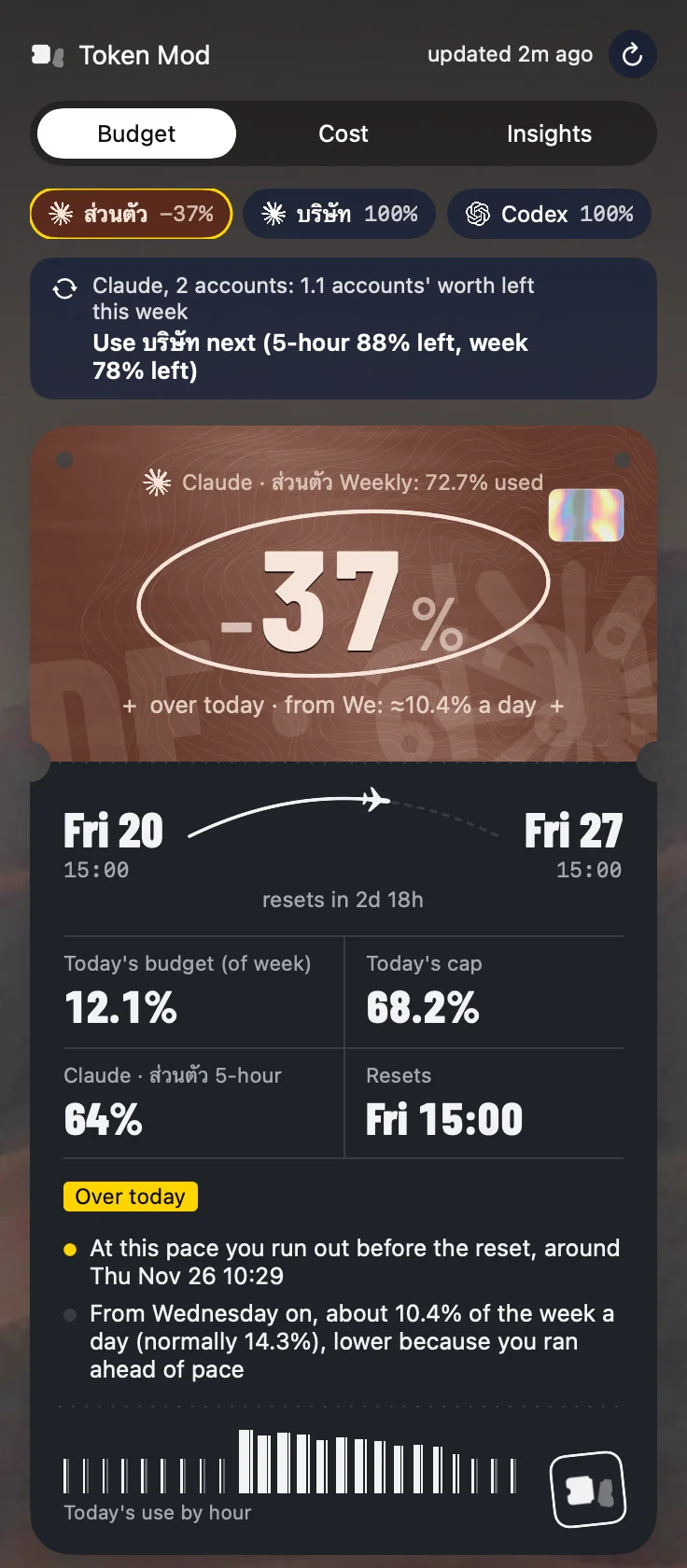
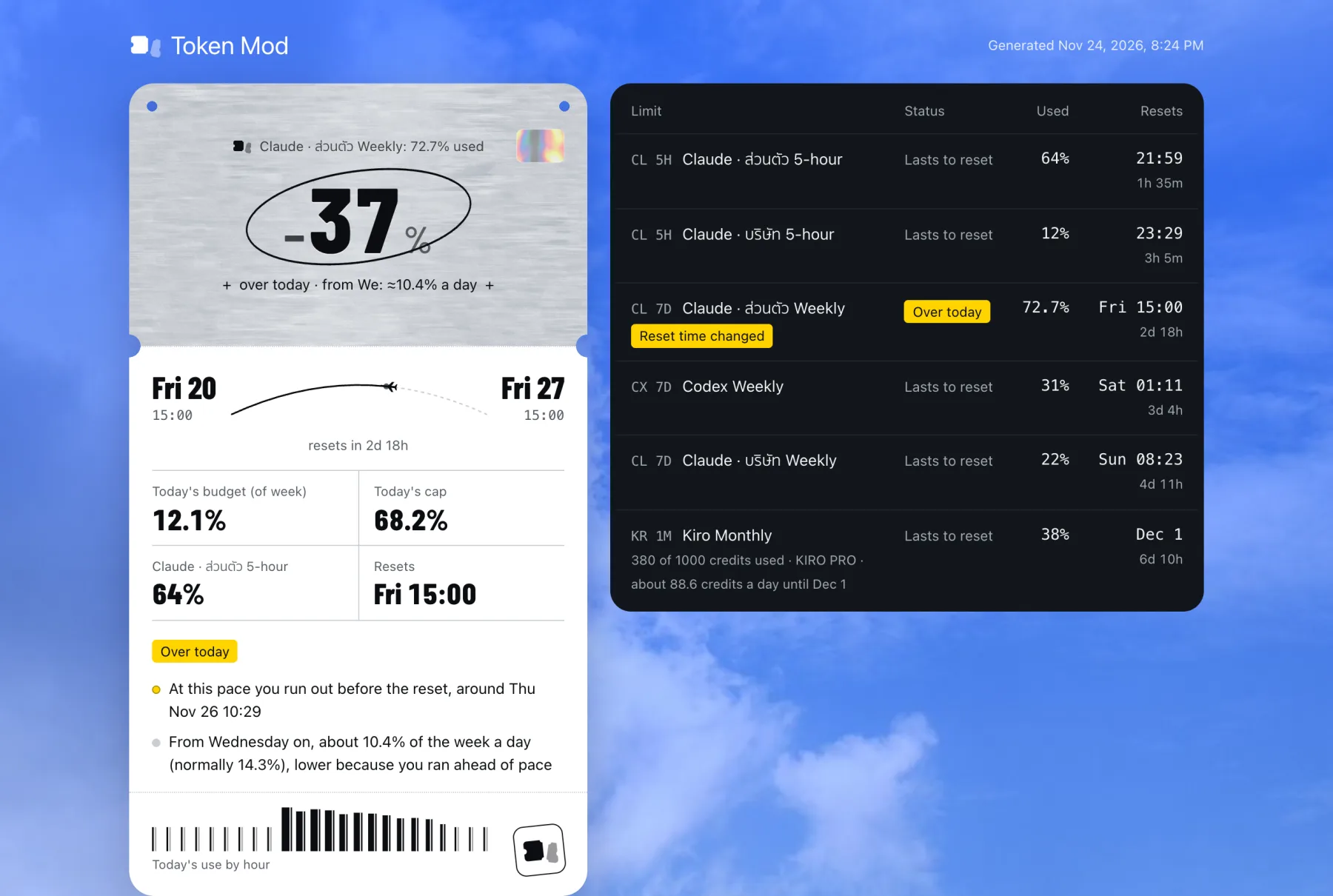
All screenshots use sample data
Install in five steps
Token Mod is not signed with an Apple Developer account yet, so the first time you open it macOS asks you to allow it once.
Needs an Apple silicon Mac (M1 or newer) and macOS 13 or later
Download and open
Download TokenMod.dmg and double-click it.
Drag to Applications
Drag Token Mod into the Applications folder. Open it from Applications, not from the disk image window.
Open it once
macOS says it cannot verify the app. Click Done.
Click Open Anyway
Open System Settings > Privacy & Security, scroll down to the line saying Token Mod was blocked, click Open Anyway and enter your Mac’s password.
Finish setup
Token Mod appears in the menu bar and opens its setup page. Follow the steps there, for example sign in the Claude Code CLI with claude auth login in Terminal.
Why Open Anyway: Token Mod is not signed with an Apple Developer account yet. It sends no usage data off your Mac; it only reads the files of the AI tools on your own Mac.
Updating: when a new version is out, the panel shows a download line. Download the new dmg and drag it over the old app in Applications; your data stays.
Check the file with SHA256SUMSQuestions
What is Token Mod?
A Mac menu bar app that turns the weekly or monthly usage limits of AI coding tools such as Claude Code, Codex and Kiro into a daily budget, and always shows how much of today is left. Everything is worked out on your Mac.
Is it free?
Yes. It is in Beta.
Why does macOS say it cannot verify the app?
Token Mod is not signed with an Apple Developer account yet. Open System Settings > Privacy & Security and click Open Anyway once. The full steps are under Install.
Which tools does it support?
It reads Claude Code, Claude Desktop, Codex, Kiro and Antigravity automatically from your Mac. For Cursor, Gemini CLI and GitHub Copilot you can type in the numbers from the tool’s own usage page.
What does it run on?
An Apple silicon Mac (M1 or newer) with macOS 13 or later, as a menu bar app plus a command line tool. Intel Macs are not supported yet.
Do I need an API key or a sign-in?
No. It reads what these tools already write on your Mac.
Does my usage data leave my Mac?
No. Everything is worked out locally and only numbers are stored. The app goes online only to fetch the API price list and check for a new version once a day, with none of your data.
How far can I trust the cost figures?
They are estimates at API list prices and are labelled as estimates everywhere. They are not a bill.
Why do some figures have ≈?
Without live numbers from Claude (for example in the Desktop app) the app estimates from local logs, and you can type in the real numbers from Claude’s usage page to recalibrate.
Found a problem or have an idea?
Use the feedback button in the app, or write to us from the contact page.
Plan your week one day at a time
The first time, allow it once in System Settings · See how to install